
CutLanefor Mac
Apple Silicon · macOS 13 or later · 3 free videos a month
The AI video editor
that edits on your Mac.
Less editing, more posting. Drop in raw clips, approve the plan, and get a captioned, mixed, on-brand video for every feed — then fix anything by hand in seconds.
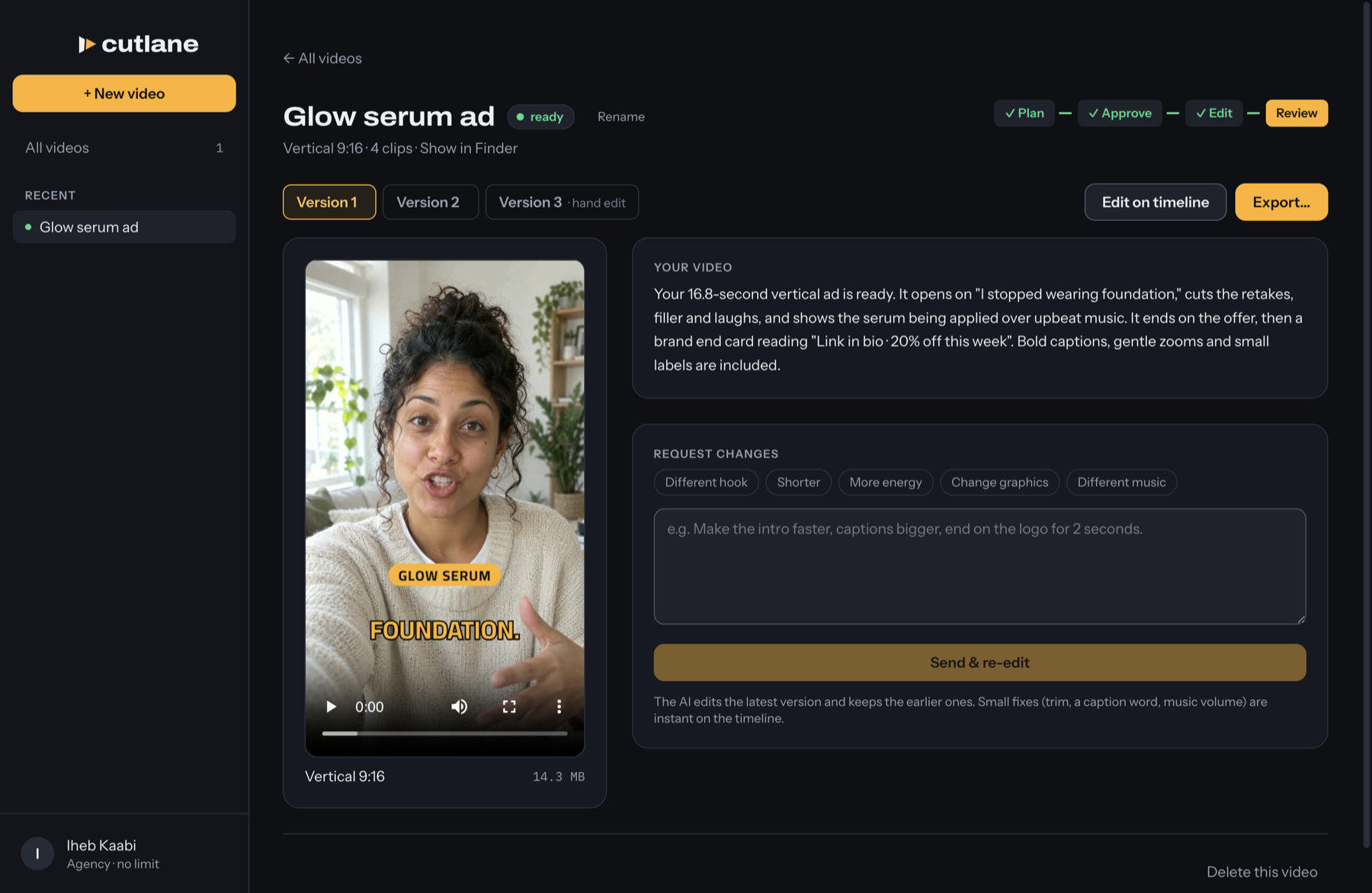
How it works
From camera roll to every feed, without opening an editor.
- 01
Drop in your clips
Raw takes, B-roll, interviews — from Finder or straight from Photos. Write two lines about the video.
- 02
Approve the plan
Read the edit like a script: every cut, caption, music and graphic, with timecodes. Change anything before a frame renders.
- 03
Fix by hand, post everywhere
Trim, fix a caption word or swap the music on a simple timeline — instantly. Export Reels, TikTok, Shorts and feed formats.
Everything an editor does.
Not a template. CutLane watches and listens to your footage, then edits it the way a good editor would.
Clean cuts
Ums, retakes and dead air come out, cut on word boundaries. Your strongest line goes first.
Captions that read right
Burned in with your highlight color and sized for each format. English, French and Arabic, right-to-left done properly.
Animated graphics
Hook titles, section labels and an end card, built in your colors with HyperFrames.
Sounds finished
Music composed to the exact length, ducked under your voice, mixed to platform loudness.
Every feed
9:16, 4:5, 1:1 and 16:9 — each reframed and its captions laid out again, not just cropped.
Your Mac, your files
Footage never leaves your Mac. Videos live in Movies › CutLane, every version kept.
- free videos every month
- 3
- formats from one edit
- 4
- caption languages tuned
- 3
- uploads of your footage
- 0
free videos every month
formats from one edit
caption languages tuned
uploads of your footage
Get started
Free to start. No card needed.
Desktop
All of CutLane in one app. Works with your files and Photos.
- macOSApple Silicon
- macOS (Intel)Coming soon
- WindowsComing soon
- Agencies and teamsContact us
Pricing
The AI is included. Hand edits are free on every plan. Cancel any time.
Free
$0/ mo
Try CutLane on your own footage.
- Included: 3 videos a month
- Included: Every export format
- Included: Brand kits
- Not included: Change requests after the render
Pro
Most popular$39/ mo
For creators and small marketing teams.
- Included: 15 videos a month
- Included: Change requests after the render
- Included: Every export format
- Included: Brand kits
Business
$99/ mo
For teams publishing every day.
- Included: 50 videos a month
- Included: Change requests after the render
- Included: Every export format
- Included: Brand kits
Agency
Custom
For agencies managing several client accounts.
- Included: More than 60 videos a month
- Included: Several client workspaces
- Included: Change requests after the render
- Included: Custom limits and pricing
Questions, answered
Do I need any editing skills?
No. Describe the video in a sentence or two; CutLane writes the edit plan and you approve it. Small fixes after that are drag-and-click on the timeline.
Where are my videos processed?
On your Mac. Your footage is never uploaded: CutLane only sends the AI editor's text (and audio for captions) to our servers to think, then cuts, renders and stores everything locally.
Which Macs does it run on?
Macs with Apple Silicon (M1 or newer) on macOS 13 or later. 16 GB of memory is recommended for 4K footage. Windows is coming.
Do I need a Claude or ChatGPT account?
No. Your CutLane plan includes the AI. Sign in with your CutLane account and you're ready.
Which languages do captions support?
Captions follow what you speak — English, French and Arabic are tuned at launch, with right-to-left lines in the correct word order.
What counts as a video?
One set of clips and a brief, however many formats it exports. Hand edits on the timeline are free and unlimited.
Can I cancel any time?
Yes. Cancel from Plan & billing; your plan stays active until the end of the period you paid for.
Less editing.More posting.